

CASES
Case studies
See how the time spent charting, preparing documents, and compiling data changed after adoption.
Each case also shows what was automated and which steps people review.

CASE 01 |
Charting after visits
Time spent charting (per day)
About 110 min → about 20 min
About 360 hours saved per year (90 minutes a day × 240 days)
*Results at a client site. Actual results vary by facility, task, and workflow.
| Facility type | Clinic that provides home medical care (home-care clinic) |
|---|---|
| Size | About 300 home-care patients, about 15 physicians |
| In scope | Charting for visits (by physicians) |
Workflow before and after
Steps in charting
Before
- The physician takes notes during the visit.
- After the visit, the physician charts in the electronic health record (EHR), working from those notes.
- In the evening or later, the physician finishes the documentation that didn’t get done during the day.
After
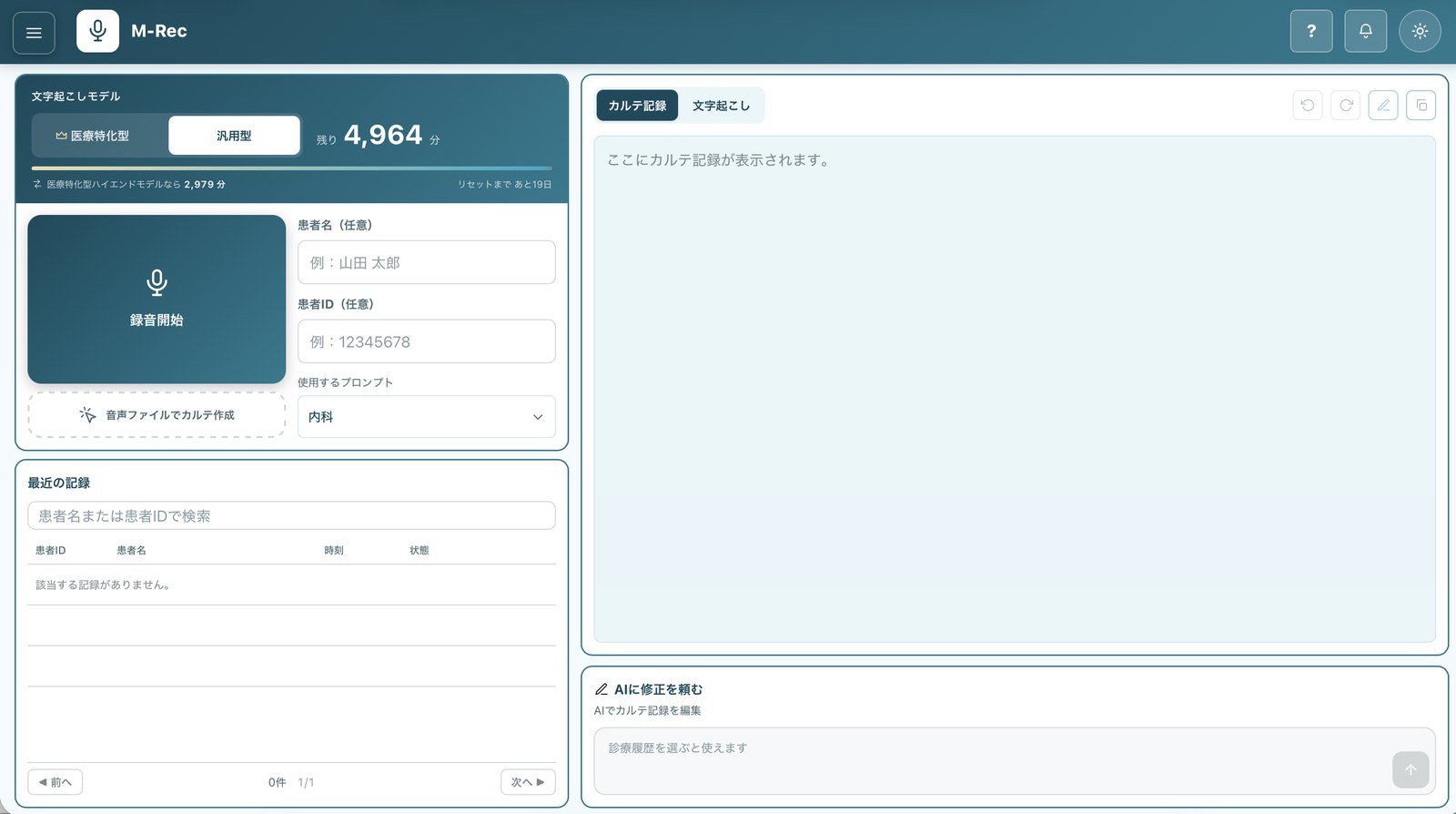
- The clinician starts recording when the visit begins.
- When the clinician stops recording, AI (
M-Rec ) drafts a clinical note. - The clinician reviews and edits the draft.
- The clinician transfers the reviewed and edited draft into the EHR.
*AI produces only a draft. Healthcare professionals review and edit the content.
*AI produces drafts only. Healthcare professionals review them.
“Now that we finish our notes during the day, we can spend the evening contacting patients and getting ready for the next day.”
Clinician at a client clinic
For now, clinicians copy the reviewed and edited draft and paste it into the EHR. A direct transfer button is planned.
CASE 02 |
Preparing and sending home care guidance reports
Home care guidance reports go from the physician to the care manager who plans the patient’s long-term care services. RPA opens the medical record and retrieves the visit notes. AI extracts the information it needs, not only from fixed fields but also from the physician’s free-text entries. It fixes typos, smooths the wording, and drafts the report in the clinic’s own style. Once the physician has reviewed and edited the draft, RPA uploads it to the regional care-coordination platform and sends it by fax.
Time to prepare and send reports (per month)
About 40 hours → about 4 hours
The staff member in charge reviews and edits the drafts and checks the results of each run.
*Estimate based on interviews at one facility. Results vary by visit volume and how the work is organized.
| Facility type | Home-care clinic |
|---|---|
| Size | About 300 home-care patients |
| Department | Medical administration |
| Tasks | Preparing home care guidance reports, uploading them to the care platform, and faxing them |
| Frequency | Daily |
Workflow before and after
Steps in preparing and sending home care guidance reports
Before
- Medical administrative staff go through what the physician wrote in each of the day’s home-visit records, one at a time, and copy it.
- Staff open the screen for creating guidance reports and paste in the copied text.
- Staff enter the visit date, facility name, and other details.
- Staff click the Create button and export the report to PDF.
- Staff sign in to the care platform and upload the PDF.
- Staff fax the report to medical institutions that are not on the care platform.
After
- RPA retrieves the required items from each eligible patient’s medical record.
- AI (
M-Automate ) organizes the content and drafts the guidance report. - The physician reviews and edits the draft.
- RPA uploads the reviewed reports to the care platform for each recipient office.
- RPA sends the faxes.
- If anything fails to send, the staff member in charge handles it.
*The physician reviews and edits the content before RPA files and sends it.
*The guidance report starts as a draft. The physician reviews and edits it at whatever point suits the facility’s workflow.
“Our home care guidance reports used to run late. Now we send them the same day.”
Medical administrative staff, home-care clinic
CASE 03 |
Compiling data for the outpatient data submission add-on
AI extracts the required items from medical records and lightens the load of tallying by hand. With less admin work, facilities find it easier to keep claiming the
Time spent tallying and preparing submission data (per month)
About 60 hours → about 1 hour
Staff now mainly check the submission data instead of tallying it by hand.
*Results at a client site. Actual results vary by facility, task, and workflow.
| Facility type | Clinics and hospitals that claim the outpatient data submission |
|---|---|
| Department | Medical administration |
| Tasks | Collecting and tallying eligible items, and preparing submission data |
| Frequency | Monthly |
| Setup | One RPA robot (BizRobo!) and |
Workflow before and after
BeforeAll done by people
- Admin staffEvery day, enter eligible items by hand in dedicated tabs and tools
- Admin staffAt month-end, identify all eligible patients
- Admin staffPrepare the data for submission
AfterPeople only review and submit
- RPARetrieve medical records
- AIPick out eligible items
- RPABuild the submission list
- Staff in chargeReview and submit the list
- Person (medical administrative staff)
- AI (
M-Automate ) - RPA (follows predefined steps exactly)
*The list is a draft. The staff member in charge reviews it.
“We’re no longer racing submission deadlines.”
Medical administrative staff
The same setup can also be used to prepare items for the home care data submission
NOTES
About these case studies
Results vary by facility, task, and workflow.
We publish results from client sites, estimates based on interviews with the staff in charge, and comments from users. Estimates are clearly labeled in each case, and facility names are not disclosed.
AI produces drafts only. Physicians and other healthcare professionals review and edit them and bear final responsibility.
CONTACT
We’ll check what can be automated at your facility, too.
Tell us which tasks are taking up time and how often you handle them. We’ll review your current steps and estimate how much time you could save. For RPA development, we show you the expected return on investment (ROI) before we start building, and measure the results after deployment.