OVERVIEW
From the patient conversation
to a draft clinical note.
Just record the conversation during the visit, and you have a draft clinical note. AI transcribes and organizes the text, so healthcare professionals can focus on reviewing and editing the draft.
STEP 01
Record
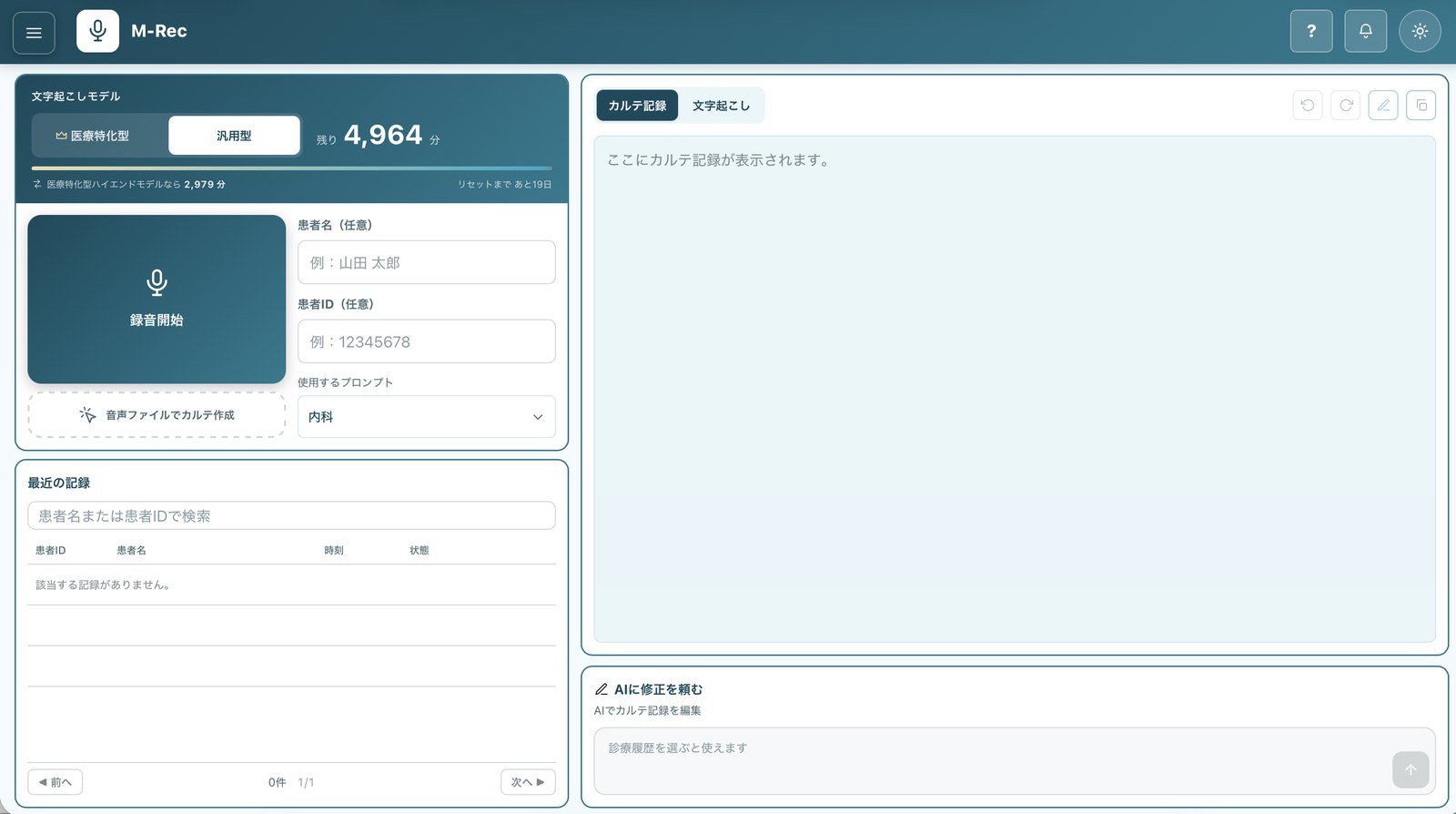
Record the conversation at the press of a button, in the clinic or on home visits (scheduled physician visits to patients’ homes). You can also create drafts from audio files you already have.
STEP 02
Transcribe and organize
AI extracts the clinically relevant information from the conversation and organizes it into a draft clinical note that includes medical terms, drug names, and test values.
STEP 03
Review and edit
Review and edit the draft, checking it against the original transcript. You can also type a revision request, such as “Add the family history.”
The
DEMO
From recording to draft,
in the actual app.
We filmed a fictional visit from the moment recording starts. The transcript builds as the recording runs. The video is edited down to about 30 seconds.
*Parts of the spoken dialogue are sped up. The case and patient name are fictional, and the physician’s name is hidden.
What AI produces is a draft clinical note. Healthcare professionals review and edit it, and final responsibility rests with them.
ISSUE
The visits are over, but the charting isn’t.
Voice input can turn speech into text, but someone still has to shape it into a note.
- Taking notes during visits, then typing them up
- Writing up chart entries after the visits are over
- Each clinician documents differently
With drafts that are easy to review and edit,
FLOW
Five steps from recording to EHR entry
Here is how a recording makes its way into the electronic health record (EHR). AI creates the draft in step 3, and healthcare professionals finalize the content.
- ClinicianSee the patientConduct the visit as usual
- ClinicianRecordStart recording when the visit begins
- AIAI writes the draftBased on a transcript tuned for medical terms
- ClinicianReviewCheck and edit the draft
- ClinicianAdd to the EHRCopy the draft into the EHR
*AI transcribes with support for medical terminology and turns the transcript into a draft in a preset format. Healthcare professionals copy the draft and paste it into the EHR. A Transfer button that sends drafts to the EHR is planned. Transfer can also be automated by combining
CASE
Daily charting time down from
about 110 to about 20 minutes.
Here is what changed at one client site.
About 110 min → about 20 min
Saving 90 minutes a day over 240 days a year comes to about 360 hours.
*Results at a client site. Actual results vary by facility, task, and workflow.
- Documentation gets done during the day, freeing time to contact patients and prepare for upcoming visits
- Less note-taking during visits means clinicians can focus on what patients are saying
Besides saving time,
PROMPT
AI that fits the way you already chart.
First, AI uses a template for each specialty to summarize the content in the order and under the headings your facility uses. Then each physician gets their own prompt (written instructions to the AI), which tunes the draft to their usual phrasing and to the abbreviations used at your facility. The goal: drafts that physicians recognize as their own writing when they read them back.
The template you chose last time stays selected for your next recording. You can also choose the AI model used for transcription and change it later.
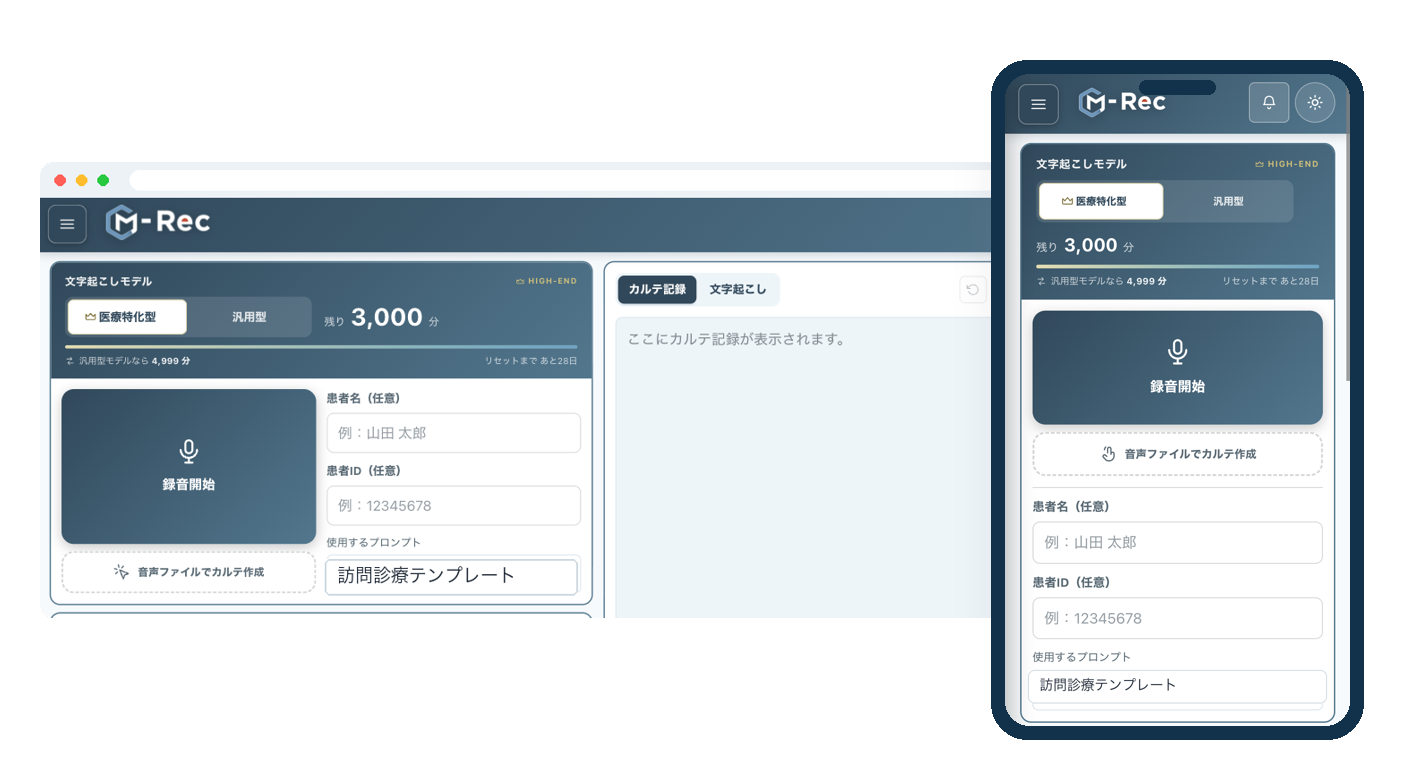
Choose a template under “Prompt” before you start recording. The image shows
SAFETY
Designed with safety as the starting point.
Because
Designed with Japan’s “3 Ministries, 2 Guidelines” in mind
These are the medical information security guidelines issued by Japan’s Ministry of Health, Labour and Welfare (MHLW), Ministry of Internal Affairs and Communications (MIC), and Ministry of Economy, Trade and Industry (METI). With them in mind, we have defined how responsibilities are shared and how the service is operated day to day.
Data kept in Japan, audio deleted automatically
Recordings, transcripts, and drafts are kept in your facility’s dedicated environment on a cloud in Japan. Backup copies of the audio are deleted automatically after seven days. Transcripts and drafts stay available for review and editing.
Recordings kept even on unstable connections
You can record even without a signal. The device can currently hold one recording and sends it once the connection returns.
Data not used for AI training, drafts based on the recording
Recordings and drafts are not used for AI training. Drafts are built from what the recording captured. Healthcare professionals always check the draft for anything that was not actually said and for numbers or drug names transcribed incorrectly.
Healthcare professionals review and edit AI drafts before use and bear final responsibility for them.
CONTACT
Make charting a little lighter.
“Notes after visits take too long.” “We want it to match the way we already write.” Tell us about concerns and needs like these.
We offer a 2-week
We’re happy to talk before you decide to adopt it.
The four services that make up MS-AI
Information as of September 2026. We continue to add and improve features.